> ## Documentation Index
> Fetch the complete documentation index at: https://docs.winningvariant.com/llms.txt
> Use this file to discover all available pages before exploring further.
# Manage Experiments with AI
> Use Snowflake Intelligence to create and manage experiments.
Use Snowflake Intelligence and Cortex to manage experiments.
Winning Variant ships with a "Winning Variant Experiment Assistant" Cortex agent (in the `ai` schema) that allows you to create and manage experiments via Snowflake Intelligence. Simply describe what you would like to do to have the assets created or updated for you.
## Creating Experiments
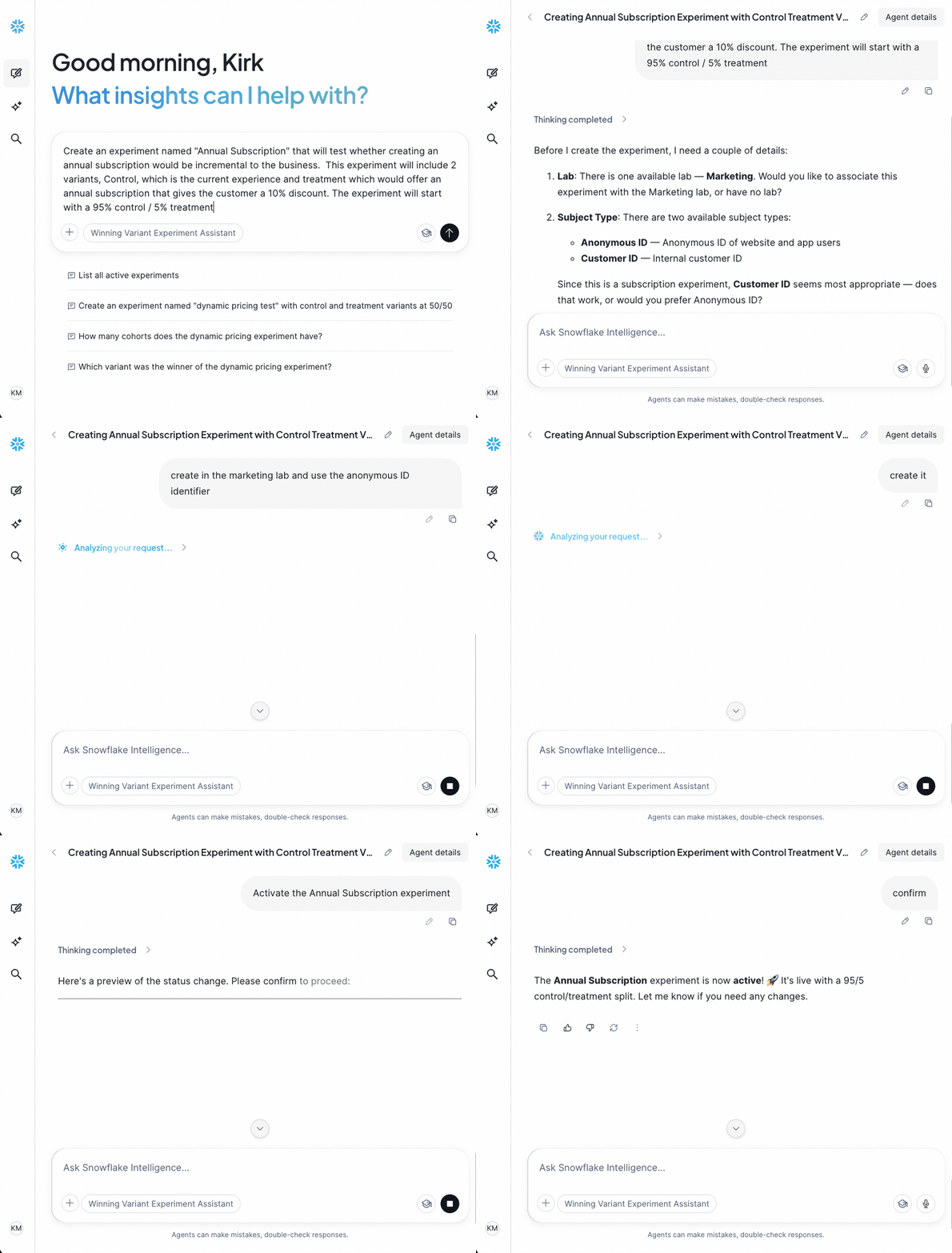
Describe the experiment you would like to create. Include as many details as possible. The agent will prompt you for more information if needed. Experiment properties include:
* Name
* Subject Type
* Description (optional)
* Hypothesis (optional)
* Lab (optional)
* Variants in the experiment, with names, descriptions, and which is control
* Initial cohort: the split for each variant
 ## Listing / Detailing Experiments
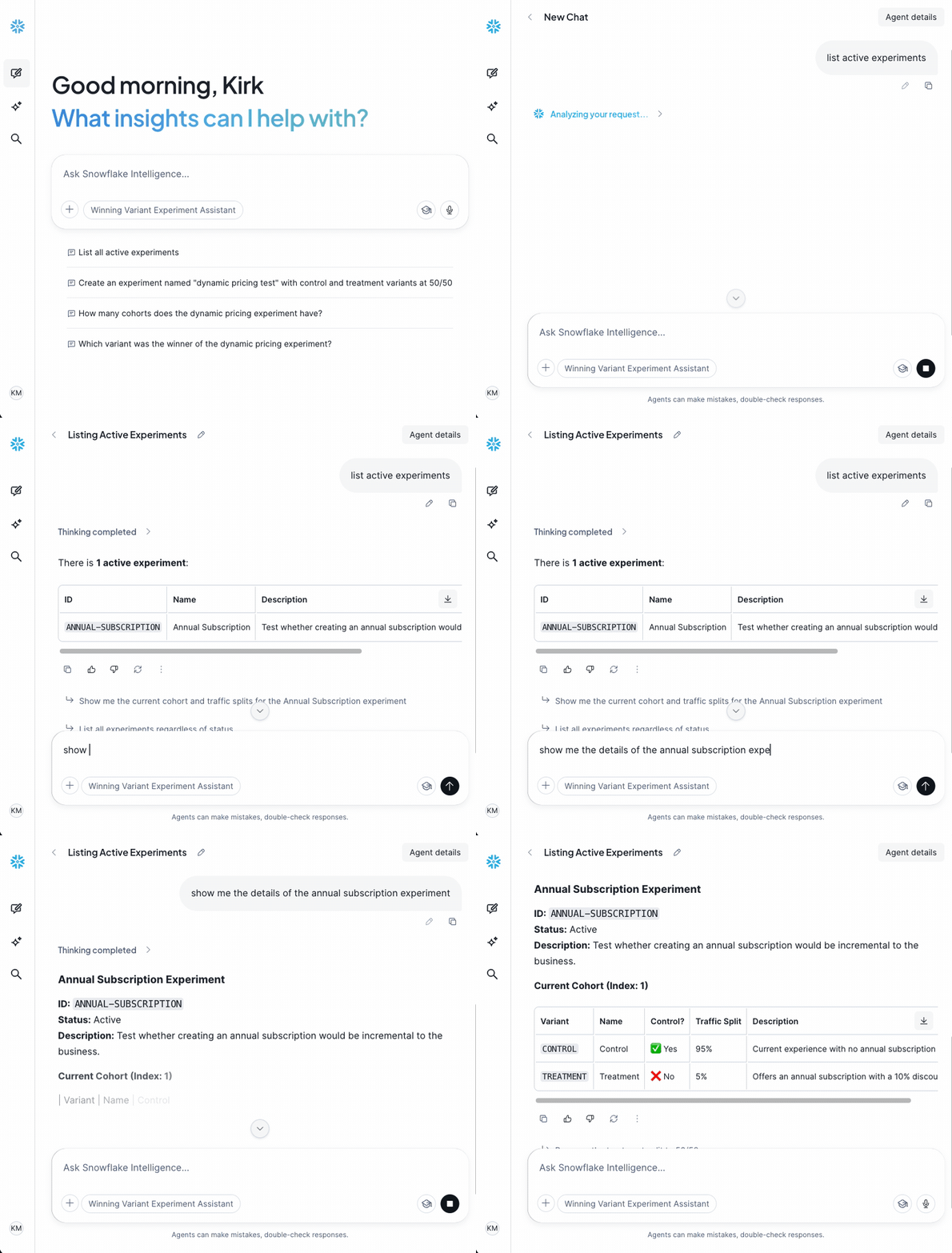
List experiments of a particular status or get details for an experiment. Sample prompts include:
* *List all active experiments*
* *List experiments with a winner declared*
* *Give me the details of XYZ experiment*
* *Show the current cohort for XYZ experiment*
## Listing / Detailing Experiments
List experiments of a particular status or get details for an experiment. Sample prompts include:
* *List all active experiments*
* *List experiments with a winner declared*
* *Give me the details of XYZ experiment*
* *Show the current cohort for XYZ experiment*
 ## Adding Variants & Cohorts
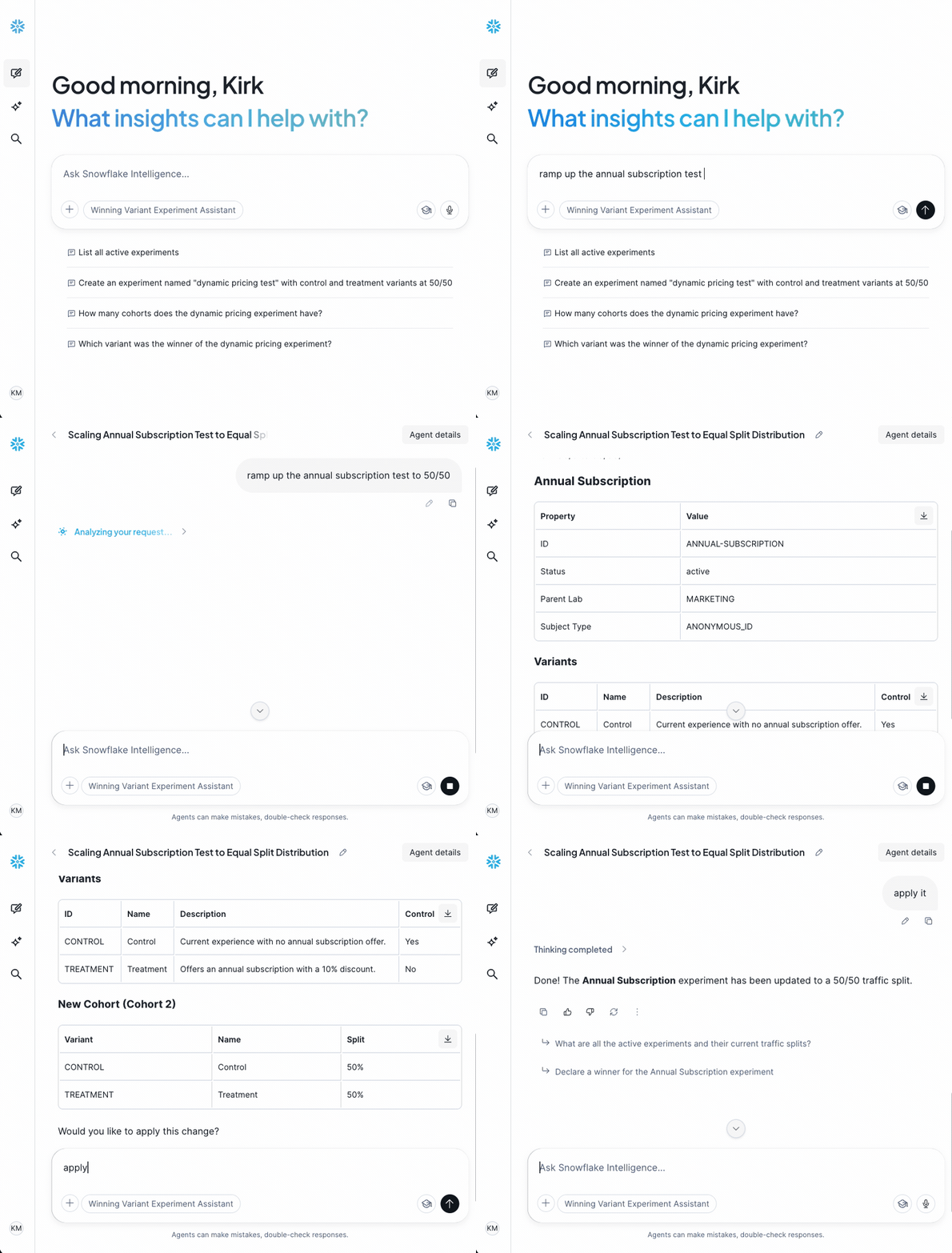
Variants and cohorts may be added over the life of an experiment. Sample prompts:
* *Add a new variant "Treatment B" to experiment XYZ with the description "Slight modification to experiment"*
* *Add a new cohort for XYZ test: control 20%, treatment A 40%, treatment B 40%*
* *Ramp up XYZ to 50/50*
## Adding Variants & Cohorts
Variants and cohorts may be added over the life of an experiment. Sample prompts:
* *Add a new variant "Treatment B" to experiment XYZ with the description "Slight modification to experiment"*
* *Add a new cohort for XYZ test: control 20%, treatment A 40%, treatment B 40%*
* *Ramp up XYZ to 50/50*
 ## Changing Experiment Status
The [experiment lifecycle](/resources/experiments) can be managed, as well. Simply describe what status you want to move the experiment to with associated information. Sample prompts:
* *Set the treatment as the winner for XYZ experiment*
* *Activate XYZ experiment*
* *Mark XYZ experiment as ended*
## Changing Experiment Status
The [experiment lifecycle](/resources/experiments) can be managed, as well. Simply describe what status you want to move the experiment to with associated information. Sample prompts:
* *Set the treatment as the winner for XYZ experiment*
* *Activate XYZ experiment*
* *Mark XYZ experiment as ended*
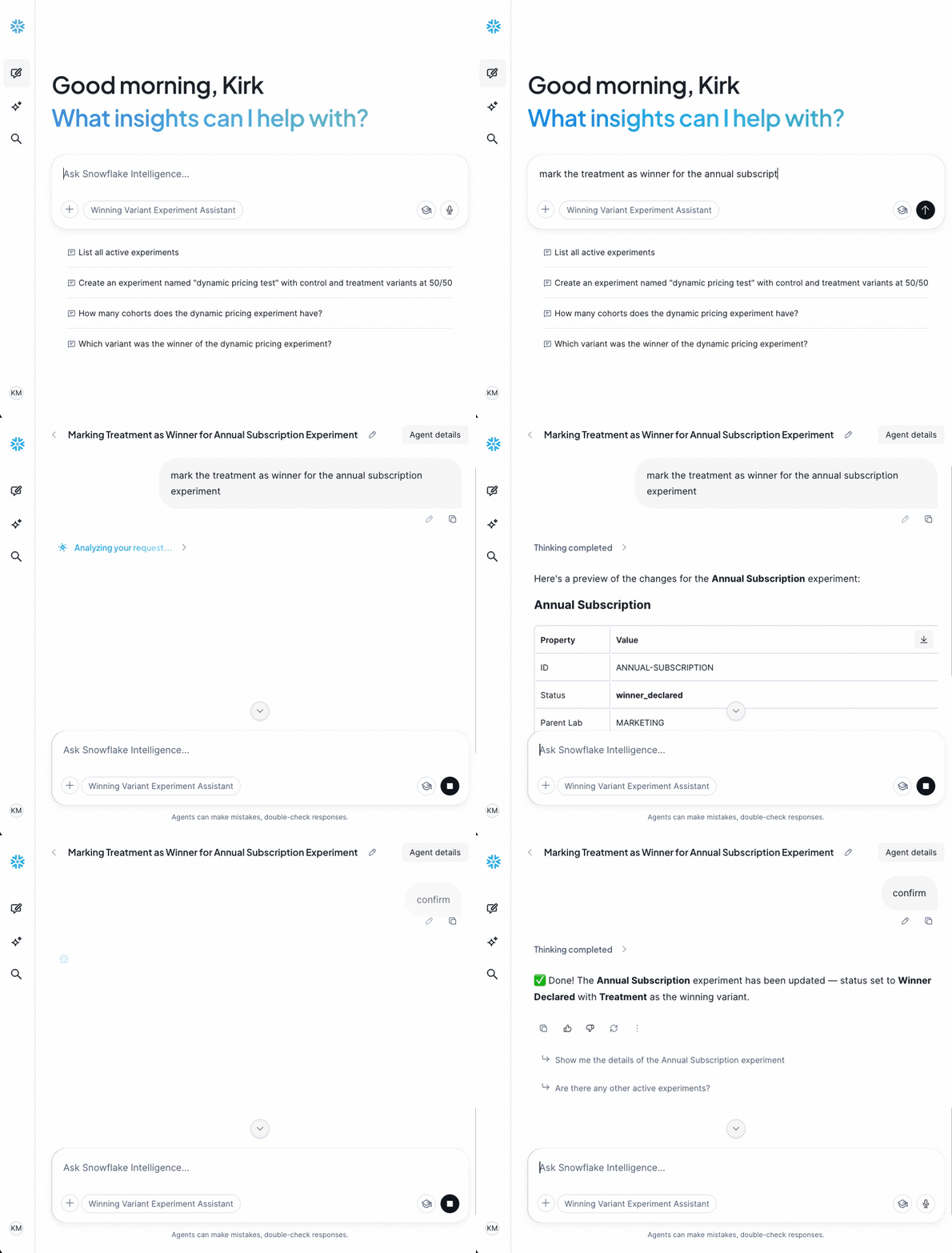 All recordings above have been sped up through the Cortex thinking stage. Actual speed of responses may vary.