

ai schema) that allows you to create and manage experiments via Snowflake Intelligence. Simply describe what you would like to do to have the assets created or updated for you.
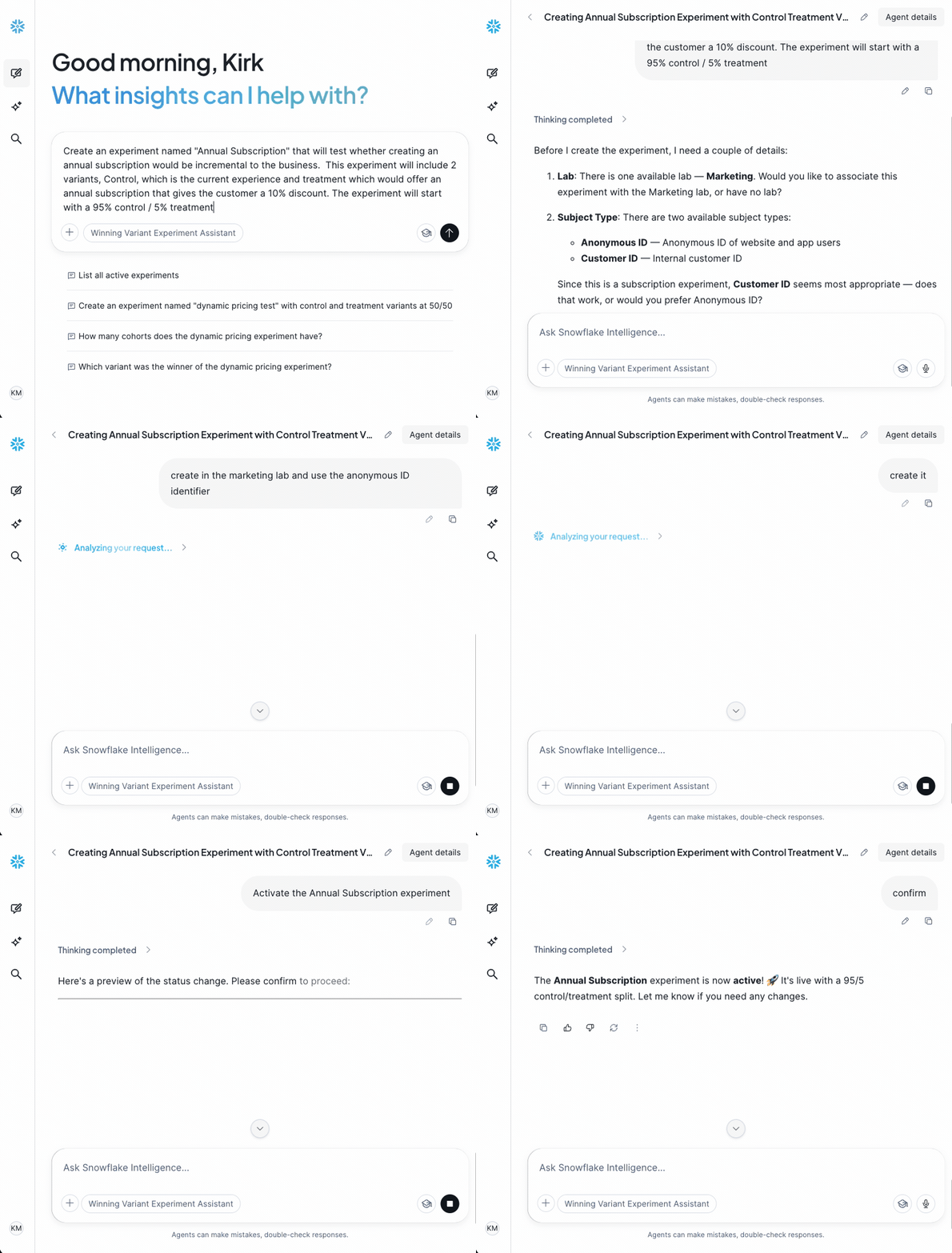
Creating Experiments
Describe the experiment you would like to create. Include as many details as possible. The agent will prompt you for more information if needed. Experiment properties include:- Name
- Subject Type
- Description (optional)
- Hypothesis (optional)
- Lab (optional)
- Variants in the experiment, with names, descriptions, and which is control
- Initial cohort: the split for each variant
Listing / Detailing Experiments
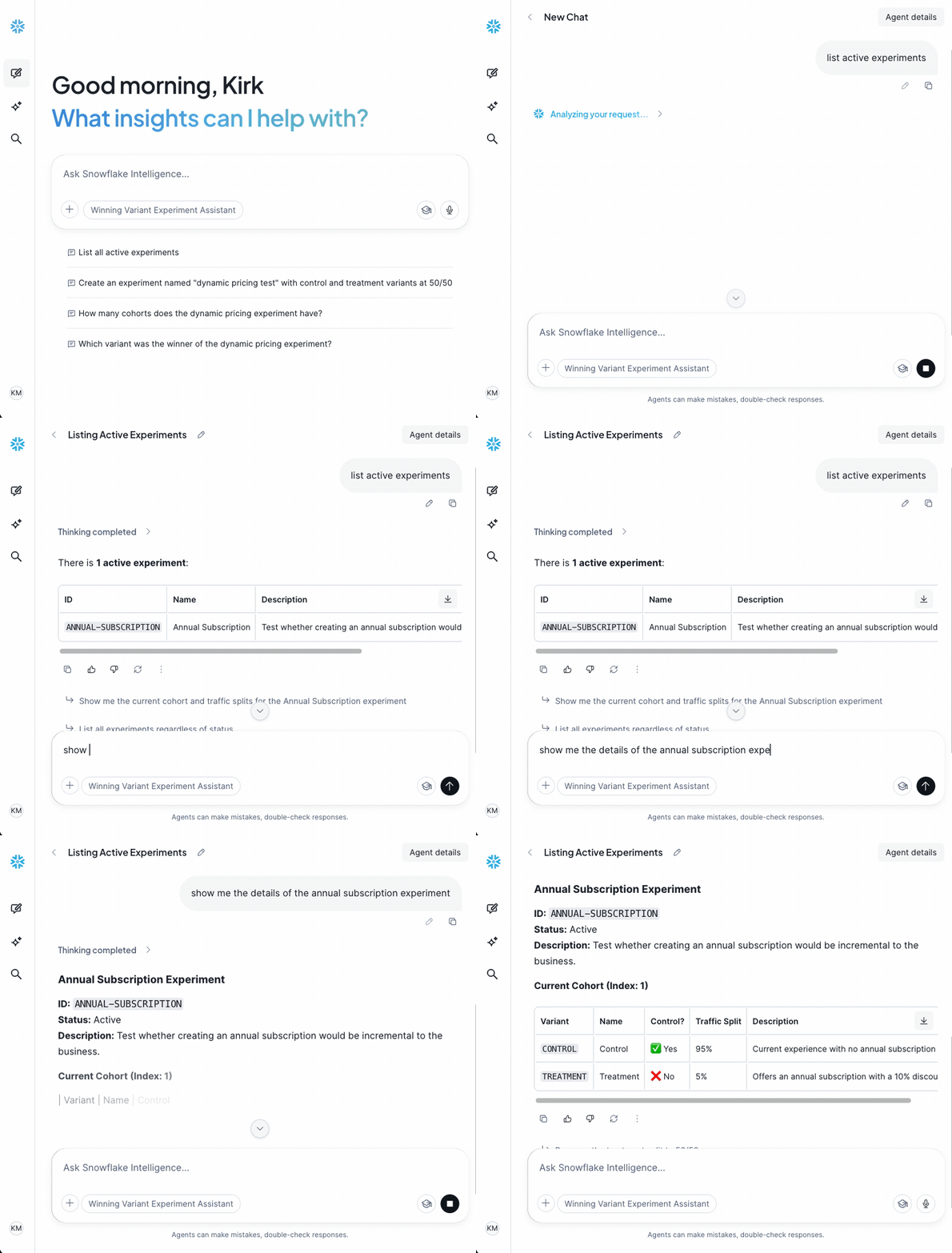
List experiments of a particular status or get details for an experiment. Sample prompts include:- List all active experiments
- List experiments with a winner declared
- Give me the details of XYZ experiment
- Show the current cohort for XYZ experiment
Adding Variants & Cohorts
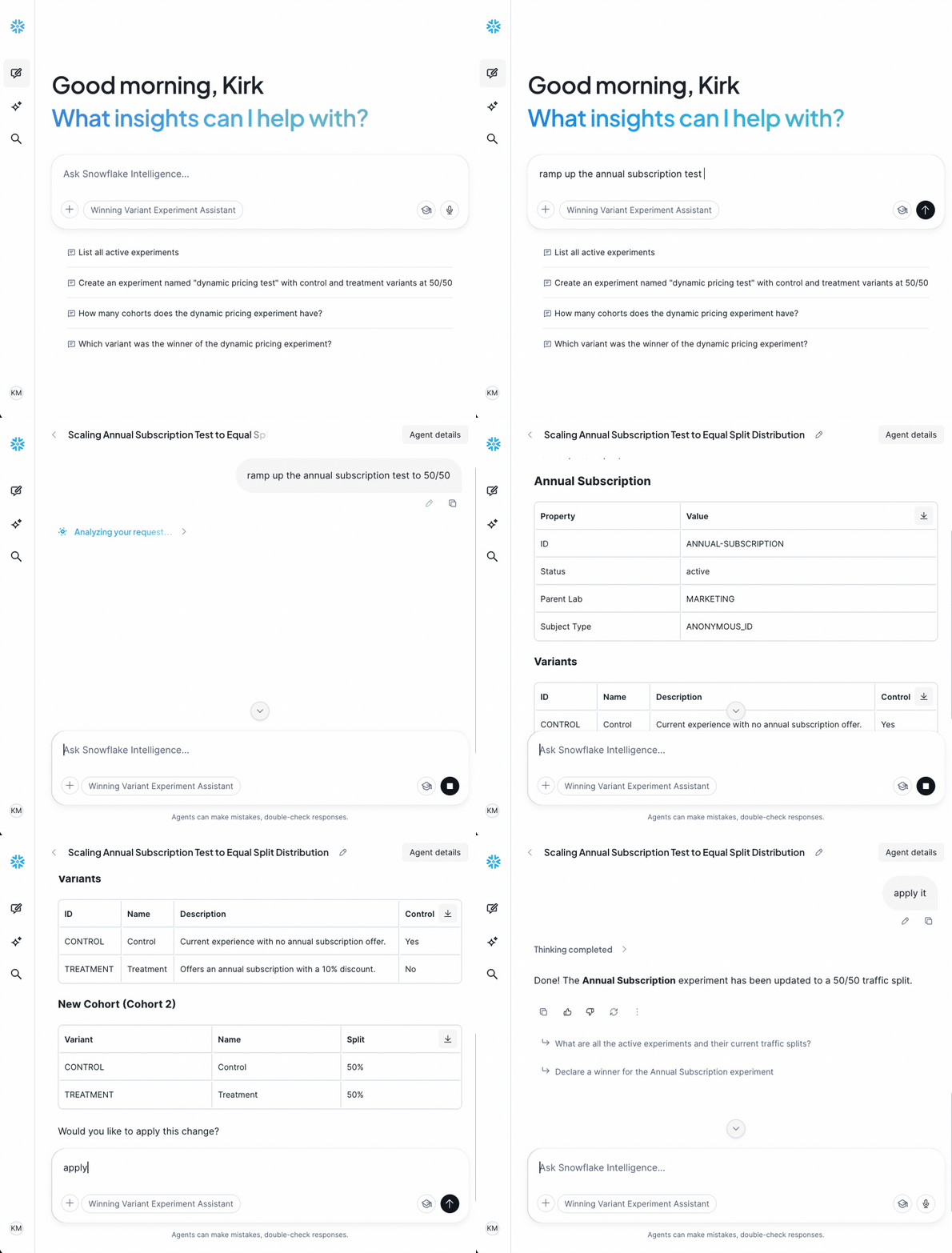
Variants and cohorts may be added over the life of an experiment. Sample prompts:- Add a new variant “Treatment B” to experiment XYZ with the description “Slight modification to experiment”
- Add a new cohort for XYZ test: control 20%, treatment A 40%, treatment B 40%
- Ramp up XYZ to 50/50
Changing Experiment Status
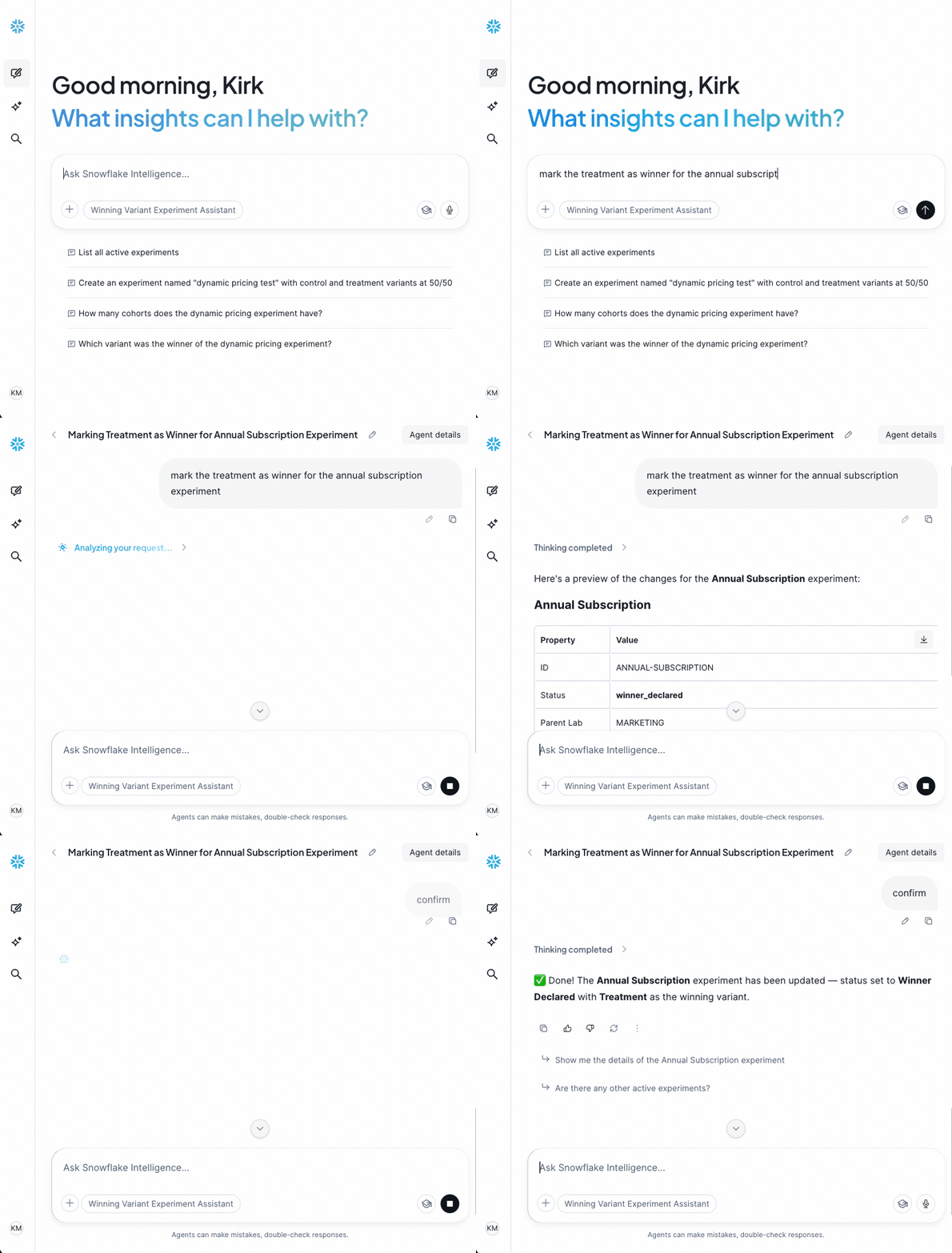
The experiment lifecycle can be managed, as well. Simply describe what status you want to move the experiment to with associated information. Sample prompts:- Set the treatment as the winner for XYZ experiment
- Activate XYZ experiment
- Mark XYZ experiment as ended
All recordings above have been sped up through the Cortex thinking stage. Actual speed of responses may vary.